
Communicate Clearly in Async Teams
Practical steps to give enough context for the next person to act without forcing a meeting. Final output: a repeatable update format with context, decision, request, and deadline.
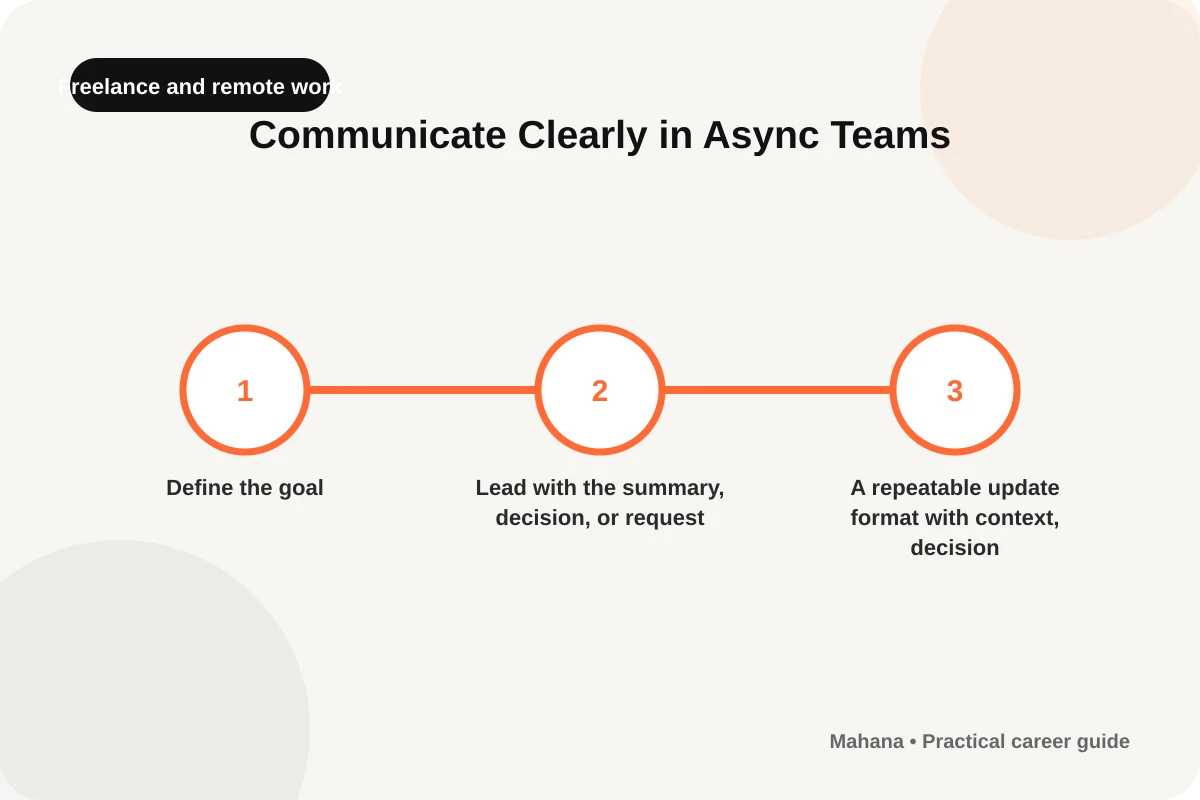
Start with clear wording, then adapt it to the person and context rather than memorising a rigid script.
For: Professionals and team leadersA repeatable update format with context, decision, request, and deadline
Give enough context for the next person to act without forcing a meeting.
Use the repeatable update format with context, decision, request, and deadline as an updateable decision record, not a fixed template.
This guide helps you give enough context for the next person to act without forcing a meeting through one defined output: A repeatable update format with context, decision, request, and deadline. In “Communicate Clearly in Async Teams,” do not treat the steps as separate tips; each checkpoint should change the repeatable update format with context, decision, request, and deadline and leave reviewable evidence.
When this guide is useful
For “Communicate Clearly in Async Teams,” a freelance or remote workflow needs visible boundaries and records because the team cannot rely on informal office context.
Use it when you need a decision or document that another person can understand. Before starting, write the current situation, the required result, and the highest-impact constraint so the repeatable update format with context, decision, request, and deadline reflects your case rather than a generic template.
Build the repeatable update format with context, decision, request, and deadline through clear checkpoints
Lead with the summary, decision, or request
For the “Lead with the summary, decision, or request” checkpoint in “Communicate Clearly in Async Teams,” use plain language and make the subject, contribution, and requested action visible; remove sentences that merely repeat the title or describe you with unsupported adjectives. Mark what is complete and what remains open in the repeatable update format with context, decision, request, and deadline, including the information needed to close it.
Include only the context and links needed
For the “Include only the context and links needed” checkpoint in “Communicate Clearly in Async Teams,” rank options by relevance and evidence, not familiarity; challenge the weakest item you kept before finalising the selection. Record the result inside the repeatable update format with context, decision, request, and deadline so the decision and any follow-up remain visible.
State what you already tried and what happened
For the “State what you already tried and what happened” checkpoint in “Communicate Clearly in Async Teams,” write the first version for the actual reader and purpose; keep the main point near the opening, then support it with only the evidence needed for the next decision. Before moving to “Give a response deadline or safe default when appropriate”, make sure this step has changed the repeatable update format with context, decision, request, and deadline rather than remaining an intention.
Give a response deadline or safe default when appropriate
For the “Give a response deadline or safe default when appropriate” checkpoint in “Communicate Clearly in Async Teams,” keep the wording specific to the real person and situation; a short message with a clear purpose is stronger than a generic script with excessive explanation. Use the repeatable update format with context, decision, request, and deadline to retain the evidence and assumption behind this step, then update it if the information changes.
Use a meeting only when the issue truly needs live discussion
For the “Use a meeting only when the issue truly needs live discussion” checkpoint in “Communicate Clearly in Async Teams,” lead with why the message is being sent, then add one relevant fact and the action needed; read it once from the recipient's perspective before sending. This checkpoint is complete when another person can review what you added to the repeatable update format with context, decision, request, and deadline and understand the reason.
Worked example: from first action to review
For the “Communicate Clearly in Async Teams” guide, use one service or one working week as a controlled trial. Start with “Lead with the summary, decision, or request”, define the output and boundary, then perform “Use a meeting only when the issue truly needs live discussion” after delivery. The repeatable update format with context, decision, request, and deadline should show what was agreed, what changed, and what the next cycle will improve.
Mistakes that weaken the result
- Moving to “Include only the context and links needed” before retaining the result of “Lead with the summary, decision, or request”, leaving the decision dependent on a hidden assumption.
- Turning the repeatable update format with context, decision, request, and deadline into a long note without a completion condition, owner, or review point.
- Completing “Use a meeting only when the issue truly needs live discussion” once and then failing to update the output when new evidence appears.
Final check before use
- I can show the result of “Lead with the summary, decision, or request” and the evidence used to begin.
- The repeatable update format with context, decision, request, and deadline distinguishes facts, estimates, and open questions.
- Every action created by “State what you already tried and what happened” has an owner, date, or clear closing condition.
- I completed “Use a meeting only when the issue truly needs live discussion” and recorded when the decision should be reviewed again.
Sources and limits
Check the steps against the facts of your case and the date of each source. This page refers to Remote-work services — Ministry of Human Resources and Social Development, Create and authenticate a remote-work contract — Ministry of Human Resources and Social Development, but changing rules or binding decisions require the latest official source.
- Remote-work services — Ministry of Human Resources and Social Development
- Create and authenticate a remote-work contract — Ministry of Human Resources and Social Development
Package structure and source check: 2026-08-20.
Questions about this guide
What is the first step in Communicate Clearly in Async Teams?
Begin with “Lead with the summary, decision, or request” and record the current situation and evidence in the repeatable update format with context, decision, request, and deadline.
How do I know the repeatable update format with context, decision, request, and deadline is usable?
Another person should be able to understand the decision or document, identify the source, and see the next action without a long verbal explanation.
When should I review it again?
Review it when material information changes or after the final step is used, and record the change in the repeatable update format with context, decision, request, and deadline.
Start with one checkpoint, keep every decision visible in the repeatable update format with context, decision, request, and deadline, and review the result before expanding the approach.
View all guidesHow this page was prepared and when it is reviewed
Method: The guide turns “Give enough context for the next person to act without forcing a meeting.” into checkpoints tied to one output, the repeatable update format with context, decision, request, and deadline, while separating facts from assumptions and linking changing information to its sources.
Review trigger: Review the repeatable update format with context, decision, request, and deadline when material information changes or after its first real use; record the change, its reason, and the result observed afterwards.
For changing information, check the original source before making an important decision.
Sources and verification
Last checked: 2026-08-20- Official sourceRemote-work services — Ministry of Human Resources and Social Developmenthrsd.gov.sa
- Official sourceCreate and authenticate a remote-work contract — Ministry of Human Resources and Social Developmenthrsd.gov.sa
Sources support the framework and reference data; professional application varies by organization, situation, and date.

The Mahana editorial team reviews career articles, guides, links, and time-sensitive information under the published editorial policy.
Editorial and verification method